How to vibe codeRepurpose.io
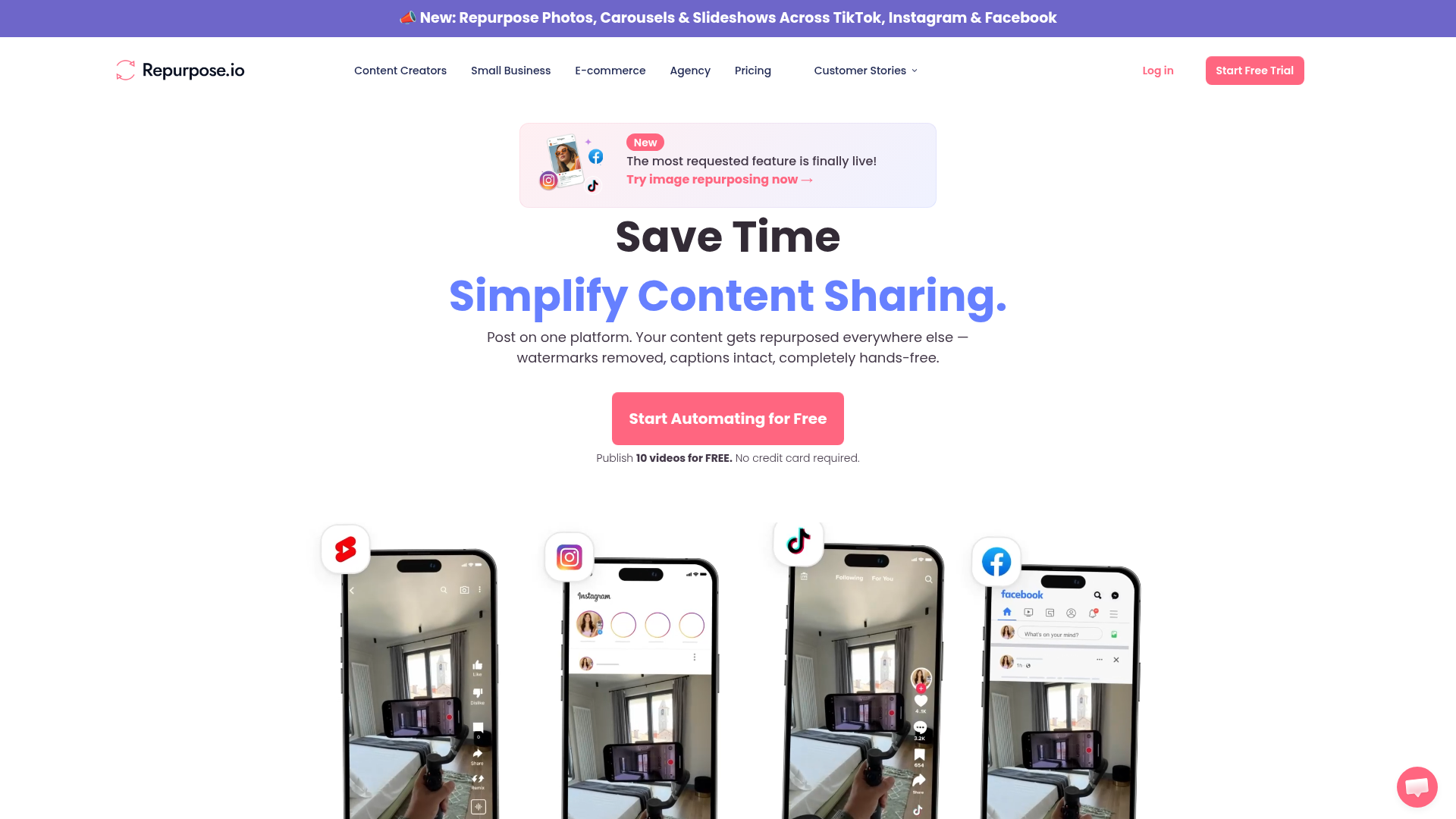
Save Time, Simplify Content Sharing
repurpose.io ↗Content Automation & Social Media Distribution
The verdict: can you vibe code Repurpose.io?
Build a personal subset for one or two platforms, or keep paying because navigating official social media API approvals and video transcoding pipelines is brutal.
While the core idea of a workflow engine is simple, trying to replicate Repurpose.io for personal use forces you into the nightmare of social media API verification. Meta, TikTok, and Google impose strict approval gates, aggressive rate limits, and frequent breaking changes on video upload endpoints. On top of auth complexity, you have to build a reliable cloud video processing pipeline using FFmpeg that won't bankrupt your server hosting bills on egress and compute.
Estimated effort: 6+ weeks of part-time engineering
What you can't replicate
- Official Meta and TikTok app review status and high-quota developer tokens
- Pre-built native integrations for 15+ disparate cloud and social platforms
Founded
2016
Raised
—
Team
~11 employees
Cheapest paid tier
$35/mo
What Repurpose.io does
A cloud-based content automation and distribution platform that ingests source content from video, live stream, or social feeds and automatically syndicates, reformats, strips watermarks, and publishes across multiple social networks.
Core features
- OAuth account connection manager for YouTube, TikTok, Instagram, and Facebook
- Workflow builder linking a source platform to multiple destination platforms
- Automated webhook listener / polling job for new source content
- Video transcoding pipeline using FFmpeg for aspect ratio reformatting and watermark stripping
- Cloud storage backup worker for Google Drive and Dropbox
- Post scheduling and publishing queue with retry logic
- Usage tracking and free-tier publish limiting
The business
Pricing
- Starter Plan$35/mo
- Pro Plan$79/mo
- Agency Plan$179/mo
Funding
Unknown / bootstrapped
Pay vs build, cumulative
Break-even at month 1 — after that, every month is money kept.
The hard parts of vibe coding Repurpose.io
- Navigating brittle official social platform APIs, strict rate limits, and frequent endpoint deprecations
- Orchestrating asynchronous background worker queues for heavy cloud video downloads and FFmpeg rendering
- Managing complex OAuth token refresh cycles and encrypted credential storage across dozens of connected accounts
- Handling downstream platform spam filters and idempotent retry strategies for failed video uploads
How to vibecode Repurpose.io
Prerequisites
Node.jsfree
Runtime environment for Next.js and backend background worker scripts.
GitHubfree
Source code repository and CI/CD triggers for deployment.
Meta Developer & TikTok Developer Accountsfree
Required to obtain API client credentials for testing video publishing.
AI coding tools
Recommended stack
| Frontend | Next.js |
|---|---|
| Backend | Next.js API Routes / Inngest |
| Database | Neon |
| Auth | better-auth |
| Payments | none |
| Other | FFmpeg for video transcoding, Cloudflare R2 for media storage, Tailwind CSS for UI |
Build guide
01Scaffold Project & Database Schema
Initialize the Next.js app with Tailwind CSS, configure better-auth with a local SQLite/Neon Postgres database, and set up Prisma or Drizzle ORM models for Users, ConnectedAccounts, Workflows, and PublishingLogs.
Initialize a new Next.js project with TypeScript, Tailwind CSS, and App Router. Set up Drizzle ORM connected to a PostgreSQL database (Neon). Create database schemas for users, connected_accounts (storing encrypted OAuth access tokens, refresh tokens, platform names, and account handles), workflows (linking source account ID, destination account ID, and filters), and execution_logs (tracking video title, status, source URL, destination post ID, and error messages). Implement better-auth for secure user authentication.02Build Account Connection Manager
Implement OAuth connection flows for target platforms (focusing on YouTube and TikTok as a functional personal subset) and securely store tokens.
Create the frontend dashboard page for managing connected accounts. Implement API routes to handle OAuth initiation and callback flows for YouTube Data API and TikTok Content API. Ensure access and refresh tokens are encrypted before saving to the connected_accounts table. Build a UI component displaying connected accounts with sync status indicators and disconnect buttons.03Create Visual Workflow Builder
Develop the workflow configuration interface allowing users to select a source platform account and map it to one or more destination platform accounts.
Build a workflow creation wizard in Next.js. Step 1: Select source platform and account from the user's connected accounts. Step 2: Select one or multiple destination platform accounts. Step 3: Configure automation rules (e.g., auto-publish vs require approval, remove watermark toggle). Save the configured workflow JSON into the workflows table and display an active workflows list with toggle switches to enable or disable them.04Implement Video Transcoding Worker
Set up a background worker service utilizing FFmpeg to download source videos, reformat aspect ratios (e.g., landscape to vertical 9:16), strip watermarks, and output optimized files to Cloudflare R2 object storage.
Write a Node.js worker script (designed to run on Fly.io using Docker with FFmpeg installed) that processes video transcoding jobs. The worker must accept a video URL, download the file to temporary local storage, run FFmpeg commands to crop and resize the video to vertical 9:16 aspect ratio suitable for Reels/Shorts, strip metadata or visible watermarks, and upload the processed output file to a Cloudflare R2 bucket. Return the public R2 URL of the processed video.05Build Polling and Publishing Queue Engine
Implement a background scheduler using Inngest or cron triggers to periodically check source platforms for new content, enqueue jobs, and push transformed media via official platform APIs.
Implement a background job scheduler using Inngest that runs every 30 minutes. The job iterates through active workflows, polls the source platform API (e.g., YouTube channel RSS or video list) for new video publications that haven't been logged yet, and creates an execution log entry. For each new item, trigger the transcoding worker from Step 4, then call the destination platform API (e.g., TikTok Post API or YouTube Shorts upload) to publish the processed video. Handle API rate limits with exponential backoff retries and record success or failure status in the database.06Dashboard Logs & Polish
Build an execution history dashboard showing publishing logs, success/failure status, manual retry buttons, and polish the user interface.
Build a History & Logs dashboard page in Next.js that queries the execution_logs table. Display a table showing video thumbnail, source platform badge, destination platform badge, timestamp, status (Success, Failed, Processing), and error messages if applicable. Add a 'Retry' action button for failed jobs that re-triggers the background publishing pipeline. Ensure responsive, clean styling using Tailwind CSS and Lucide React icons.
Cost vs paying for Repurpose.io
What will you build it with?
Starting total with Claude Code$0 one-time
Starting costs (one-time)
- Domain name$12 one-time
Total~$12 one-time
Ongoing costs (monthly)
- Fly.io worker compute & Cloudflare R2 storage~$5/mo
Total~$5/mo
Paying for Repurpose.io
$35/mo
Your time to build
40-60 hours
AI tool credits
$20 (Claude Pro)
Break-even
1 month
Own Repurpose.io? Wear the score
Put this badge on your site or README — it links back to this report.
<a href="https://vibeityourself.com/app/repurpose"><img src="https://vibeityourself.com/badge/repurpose" alt="Repurpose.io vibe-codeability score" /></a>[](https://vibeityourself.com/app/repurpose)Vibe code Repurpose.io: FAQ
- Can you vibe code Repurpose.io yourself?
- Serious undertaking — 42/100 vibecodeable. Build a personal subset for one or two platforms, or keep paying because navigating official social media API approvals and video transcoding pipelines is brutal.
- How long does it take to vibe code Repurpose.io?
- 6+ weeks of part-time engineering — roughly 40-60 hours of hands-on time with an AI coding agent.
- How do you build your own Repurpose.io?
- Scoped to personal use: Next.js on the front, Next.js API Routes / Inngest behind it, Neon for data. Follow the 6-step build guide on this page — each step has a paste-ready prompt for an AI coding agent.
- How do you code your own Repurpose.io without being an expert?
- Use an AI coding tool (Claude Code or Cursor) and work in small steps: scaffold, data model, core screens, then deploy. Realistic effort: 6+ weeks of part-time engineering. The prompts on this page are written so the AI does the heavy lifting.
- How much does it cost to vibe code Repurpose.io instead of paying?
- About ~$12 one-time to start and ~$5/mo to run, versus $35/mo for Repurpose.io. Break-even: 1 month.
- What stack should you use to vibe code Repurpose.io?
- Next.js; Next.js API Routes / Inngest; Neon; plus FFmpeg for video transcoding, Cloudflare R2 for media storage, Tailwind CSS for UI.
Methodology
This report was generated by VibeItYourself's standard pipeline: we scrape repurpose.io (content, branding, screenshot), deep-research the company with AI + web search (pricing, funding, team, engineering complexity), then score rebuild feasibility 0–100 against the same rubric used for every app — scoped to a personal-use clone, not a competing business. How scoring works. Verdicts are honest by design: what you can't replicate is listed above.
Last verified: