How to vibe codePost Bridge
Streamlined social media scheduling and cross-posting tool for creators and solo founders
post-bridge.com ↗Marketing & Social Media
The verdict: can you vibe code Post Bridge?
You can build a functional personal clone for your own cross-posting needs, but wrangling ten fragile social media APIs will test your patience.
While a Next.js frontend and SQLite database can be scaffolded rapidly with AI assistance, the real trap is social media API maintenance. Each platform (TikTok, Instagram, LinkedIn, X) uses unique OAuth flows, strict media formatting constraints, and frequent rate limit changes. Building a personal tool to blast your own updates takes a few weekends; maintaining commercial stability across all ten platforms is a full-time job.
Estimated effort: 3-4 weeks of focused development and API debugging
What you can't replicate
- The exact OAuth verification standing and white-glove API tiers with major platforms
- The 1,695 active user community and growth loop
- Continuous maintenance patches for undocumented social platform API changes
Founded
2024
Raised
—
Team
1 (Solo founder Jack Friks)
Cheapest paid tier
$0/mo
What Post Bridge does
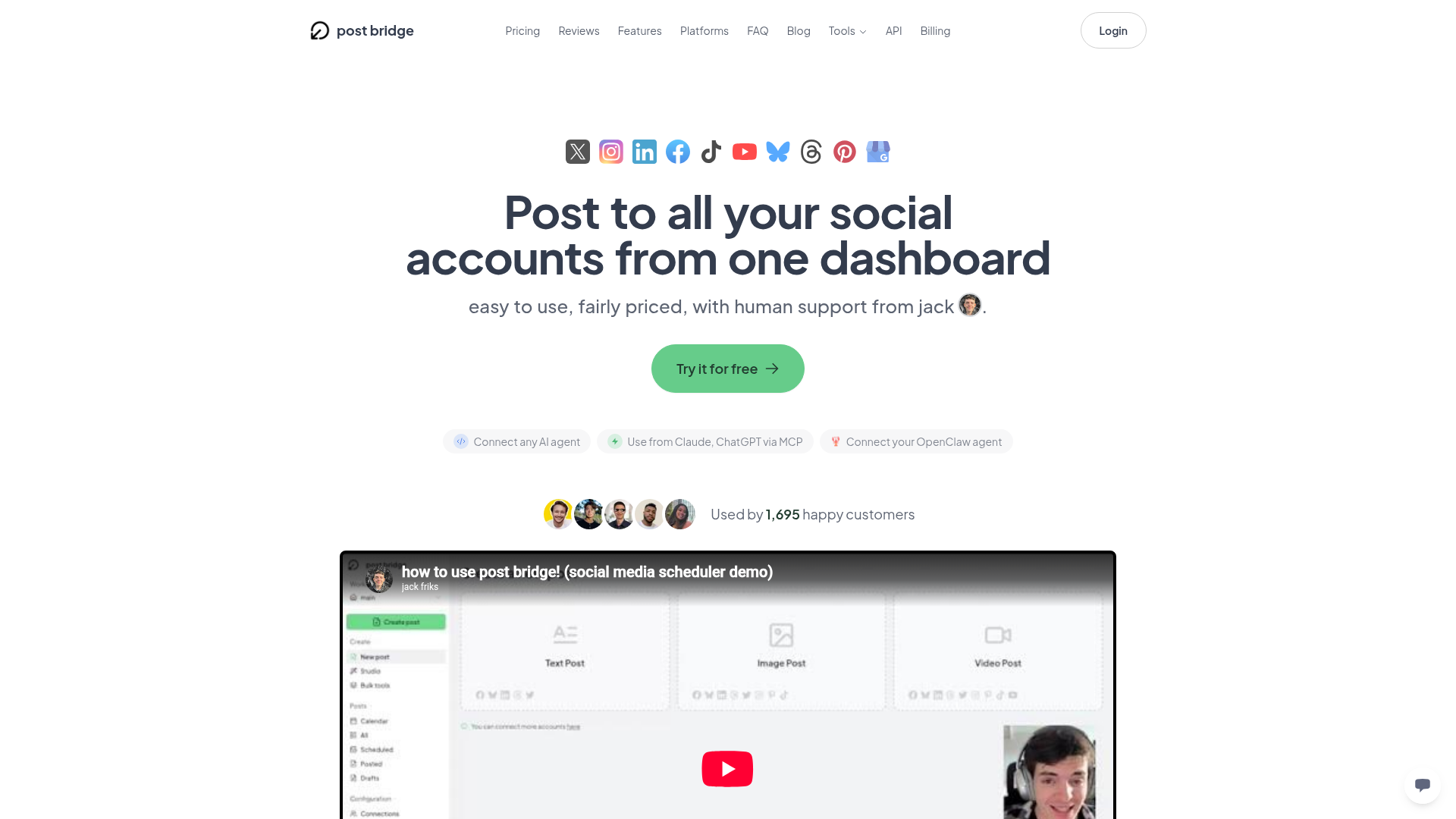
A multi-platform social media scheduling and cross-posting web application that allows users to publish or schedule content simultaneously across major platforms like X, Instagram, LinkedIn, TikTok, and YouTube from a single dashboard.
Core features
- Multi-platform OAuth account connections (X, LinkedIn, TikTok, YouTube, Instagram, etc.)
- Unified post composer with platform-specific text and media customization
- Calendar and queue scheduling engine with cron-based background dispatch
- Video and image media uploads with basic transcoding and content studio
- Bulk CSV/video scheduling pipeline
- Basic analytics and tracking views
- Developer API add-on and MCP server integration for AI assistant workflows
The business
Pricing
- Free$0/mo
- Creator$29/mo
- Growth$49/mo
- Pro$99/mo
Funding
Unknown / bootstrapped
Pay vs build, cumulative
Break-even at month 1 — after that, every month is money kept.
The hard parts of vibe coding Post Bridge
- Maintaining 10+ distinct third-party social media APIs with differing payload requirements, strict rate limits, and frequent breaking changes
- Managing OAuth token lifecycle, offline refresh tokens, and secure credential state across multiple user profiles
- Background job reliability for scheduled posts firing at exact minute intervals across global timezones
- Video transcoding and storage management for multi-gigabyte uploads
How to vibecode Post Bridge
Prerequisites
Node.jsfree
Runtime environment for the Next.js full-stack application.
GitHubfree
Source code control and CI/CD deployment pipeline.
Developer Accountsfree
Required to register developer apps on X, Meta, LinkedIn, and TikTok for OAuth credentials.
AI coding tools
Recommended stack
| Frontend | Next.js (App Router, Tailwind CSS, shadcn/ui) |
|---|---|
| Backend | Next.js Server Actions & API Routes with Inngest for background job queues |
| Database | Turso (SQLite at the edge for relational schedules and user accounts) |
| Auth | better-auth |
| Payments | none |
| Other | Cloudflare R2 for media attachments storage, Resend for transactional emails |
Build guide
01Scaffold Project and Auth Setup
Initialize a Next.js project with Tailwind CSS, shadcn/ui components, and configure better-auth with SQLite/Turso.
Create a new Next.js 16 app using App Router, TypeScript, and Tailwind CSS. Install shadcn/ui primitives (button, dialog, dropdown-menu, calendar, input, textarea). Configure better-auth with SQLite via Turso for email/password authentication and session management. Set up the root layout with a sidebar navigation dashboard shell.02Database Schema for Accounts and Posts
Define relational tables for connected social accounts, scheduled posts, media assets, and dispatch logs.
Write the Turso database schema using Drizzle ORM or Prisma for a social media scheduler. Tables required: 'users', 'social_accounts' (storing provider name, provider_account_id, encrypted oauth_token, refresh_token, token_expires_at), 'posts' (content, media_urls, scheduled_for, status), and 'post_dispatches' (tracking individual platform publish results, error logs, external post IDs). Implement secure encryption helpers for stored OAuth tokens.03OAuth Integration Modules
Implement OAuth connection flows for target platforms like Twitter/X, LinkedIn, and Bluesky.
Build API routes and frontend connection cards for Twitter/X OAuth 2.0 and LinkedIn OAuth. Implement the callback exchange handlers that securely receive authorization codes, request access/refresh tokens, encrypt them, and save records to the 'social_accounts' table. Handle token refresh logic gracefully when executing posts.04Unified Composer and Media Uploads
Build the multi-platform post composer interface with platform selector pills and file attachment handlers.
Create a dashboard composer page with a main textarea, character counter warnings per platform, media attachment dropzone uploading to Cloudflare R2, and a row of toggles for selecting target connected social accounts. Allow platform-specific text overrides if a user clicks a platform badge to customize the snippet.05Scheduling Engine and Background Worker
Implement cron triggers or Inngest jobs to poll and dispatch scheduled posts to platform APIs.
Set up an Inngest background job workflow (or cron endpoint secured with a secret) that queries the database for pending posts where 'scheduled_for <= NOW()' and status is 'scheduled'. For each post, iterate through the targeted social accounts, invoke the respective platform posting API client, update the 'post_dispatches' status to 'published' or 'failed', and handle API rate limit backoffs.06Dashboard Calendar and Queue Views
Build calendar and list views to inspect, filter, and delete scheduled or published posts.
Create a calendar view and a list queue view in the dashboard using Lucide icons. Display scheduled items on their respective dates, show publishing statuses (pending, published, failed), and add action buttons to delete or immediately publish a scheduled item.
Cost vs paying for Post Bridge
What will you build it with?
Starting total with Claude Code$0 one-time
Starting costs (one-time)
- AI Coding Assistant (Claude Pro)$20
Total$20 one-time
Ongoing costs (monthly)
- Hosting & Database (Vercel + Turso + Cloudflare R2)$0/mo
Total$0/mo
Paying for Post Bridge
$29/mo
Your time to build
35-50 hours
AI tool credits
$20
Break-even
Free forever (self-hosted personal use)
Own Post Bridge? Wear the score
Put this badge on your site or README — it links back to this report.
<a href="https://vibeityourself.com/app/post-bridge"><img src="https://vibeityourself.com/badge/post-bridge" alt="Post Bridge vibe-codeability score" /></a>[](https://vibeityourself.com/app/post-bridge)Vibe code Post Bridge: FAQ
- Can you vibe code Post Bridge yourself?
- Solid side project — 62/100 vibecodeable. You can build a functional personal clone for your own cross-posting needs, but wrangling ten fragile social media APIs will test your patience.
- How long does it take to vibe code Post Bridge?
- 3-4 weeks of focused development and API debugging — roughly 35-50 hours of hands-on time with an AI coding agent.
- How do you build your own Post Bridge?
- Scoped to personal use: Next.js (App Router, Tailwind CSS, shadcn/ui) on the front, Next.js Server Actions & API Routes with Inngest for background job queues behind it, Turso (SQLite at the edge for relational schedules and user accounts) for data. Follow the 6-step build guide on this page — each step has a paste-ready prompt for an AI coding agent.
- How do you code your own Post Bridge without being an expert?
- Use an AI coding tool (Claude Code) and work in small steps: scaffold, data model, core screens, then deploy. Realistic effort: 3-4 weeks of focused development and API debugging. The prompts on this page are written so the AI does the heavy lifting.
- How much does it cost to vibe code Post Bridge instead of paying?
- About $20 one-time to start and $0/mo to run, versus $29/mo for Post Bridge. Break-even: Free forever (self-hosted personal use).
- What stack should you use to vibe code Post Bridge?
- Next.js (App Router, Tailwind CSS, shadcn/ui); Next.js Server Actions & API Routes with Inngest for background job queues; Turso (SQLite at the edge for relational schedules and user accounts); plus Cloudflare R2 for media attachments storage, Resend for transactional emails.
Methodology
This report was generated by VibeItYourself's standard pipeline: we scrape post-bridge.com (content, branding, screenshot), deep-research the company with AI + web search (pricing, funding, team, engineering complexity), then score rebuild feasibility 0–100 against the same rubric used for every app — scoped to a personal-use clone, not a competing business. How scoring works. Verdicts are honest by design: what you can't replicate is listed above.
Last verified: