
How to vibe codeMagnific
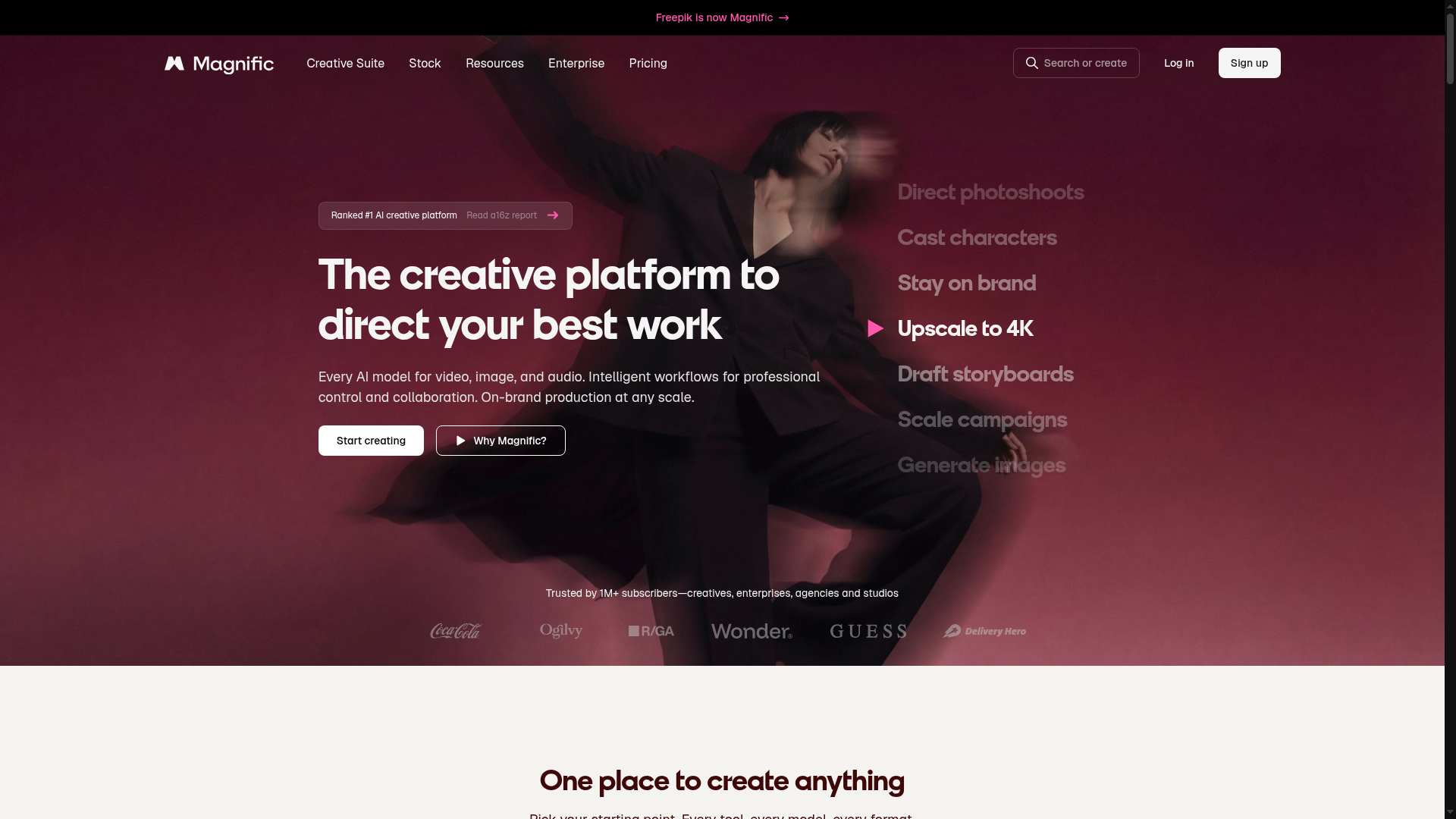
The creative platform to direct your best work
magnific.ai ↗AI Creative Platform
The verdict: can you vibe code Magnific?
Build a personal single-model upscaler wrapper instead, because replicating Magnific's 30-model orchestration, node-based multiplayer canvas, and 250M-asset stock database is impossible for a solo developer.
Magnific aggregates over 30 heavy foundational models, maintains an enterprise-scale stock library of 250 million assets, orchestrates expensive GPU inference clusters, and delivers native plugins across Adobe CC and Figma. Replicating the full ecosystem as a solo builder is completely unrealistic. You could build a minimal web wrapper around Fal.ai for image upscaling and generation in a weekend, but the core multi-modal moat is out of reach.
Estimated effort: 6+ months of full-time work for a severely reduced single-model subset
What you can't replicate
- Multi-modal aggregation of 30+ cutting-edge enterprise AI models
- 250 million item licensed stock asset repository and search index
- Enterprise compliance, legal indemnification, and SOC 2 certifications
- Native design tool plugins for Adobe Premiere, After Effects, Photoshop, and Figma
Founded
2023
Raised
$0
Team
Small core team scaled within Freepik
Cheapest paid tier
$20/mo
What Magnific does
A comprehensive multi-modal AI creative platform and stock library integrating 30+ foundation models for image, video, audio, and 3D generation, alongside collaborative node-based canvases ('Spaces') and professional design software plugins.
Core features
- Multi-modal AI generation orchestration (Text-to-Image, Video, Audio, 3D)
- High-resolution detail hallucination image upscaler up to 10K
- Node-based infinite canvas workspace ('Spaces' for collaborative workflows)
- Unified unified credit billing and user tier management
- Multi-model provider switching gateway (Flux, Kling, Veo, ElevenLabs)
- Enterprise stock asset library search and licensing interface
- Model Context Protocol (MCP) server endpoints for external agents
The business
Pricing
- Premium$20/mo
- Premium+$45/mo
- Pro$280/mo
Funding
$0
Pay vs build, cumulative
No break-even inside 24 months at these numbers.
The hard parts of vibe coding Magnific
- Inference economics and GPU orchestration for heavy diffusion and video pipelines
- Multi-model wrapper maintenance with shifting upstream API schemas
- Real-time collaborative infinite canvas rendering and state synchronization
- Hosting and serving sub-second queries across 250 million stock assets
How to vibecode Magnific
Prerequisites
Node.jsfree
Required runtime for the Next.js full-stack framework and build tooling.
GitHubfree
Source control and deployment pipeline integration.
fal.ai accountpay-as-you-go
Provides raw API access to high-throughput image generation and upscaling models.
AI coding tools
Recommended stack
| Frontend | Next.js |
|---|---|
| Backend | Next.js Server Actions |
| Database | Turso |
| Auth | better-auth |
| Payments | Stripe |
| Other | Vercel AI SDK, Tailwind CSS, fal.ai API, ElevenLabs |
Hosting & infrastructure
| Vercel | Zero-config hosting for the Next.js frontend and serverless API endpoints. | $0-20/mo |
| Cloudflare | Edge asset storage via R2 for generated images and media outputs. | $0-5/mo |
Build guide
01Project Scaffolding & Database Setup
Initialize the Next.js project with Tailwind CSS and configure Turso with better-auth for user session management.
Create a new Next.js 16 project using TypeScript, Tailwind CSS, and App Router. Set up better-auth with SQLite via Turso for user authentication supporting email/password. Structure the project directories for components, server actions, and lib utilities. Ensure proper configuration for environment variables and add an initial layout with a clean dark-mode creative studio aesthetic inspired by modern AI tools.02Core Dashboard & Tool Selection UI
Build the main dashboard layout featuring tool categories (Image Generator, Upscaler, Audio, Video) and model selection panels.
Build a dashboard layout in Next.js featuring a sidebar navigation for creative tools (Image Generator, Image Upscaler, Audio Generator, Spaces Canvas) and a main workspace area. Create a model selection dropdown component that lists available generative models (Flux 2, Kling 3, ElevenLabs) with status indicators and credit cost badges. Implement responsive design with a dark theme.03AI Model Orchestration & Fal.ai Integration
Implement server actions to dispatch generation prompts and upscale tasks to the fal.ai API with polling mechanisms.
Implement server-side API integration with fal.ai for image generation and upscaling. Create a Next.js server action that takes prompt text, negative prompt, creativity scale, and target resolution, dispatches the request to the fal.ai endpoint, and handles asynchronous job polling or webhook callbacks. Store generation metadata, parameters, and output image URLs in the Turso database linked to the authenticated user.04Result Gallery & Asset History View
Build a responsive grid gallery to display user-generated creations, download outputs, and view generation lineages.
Create a media gallery component that fetches and displays a user's generated images, audio, and video assets from the database in an interactive masonry or responsive grid. Include action buttons for downloading high-resolution assets, viewing generation parameter metadata in a modal sidebar, and deleting or favoriting items.05Basic Spaces Infinite Canvas Proof-of-Concept
Develop a simplified node-based canvas view allowing users to drop generation nodes and link inputs.
Build a simplified node-based infinite canvas component using React Flow or custom SVG panning/zooming logic within the Spaces section. Allow users to add 'Prompt Node', 'Upscale Node', and 'Output Node' cards, drag them across the canvas, and draw connection lines between node handles to simulate a basic multi-step creative workflow.
Cost vs paying for Magnific
What will you build it with?
Starting total with Claude Code$0 one-time
Starting costs (one-time)
- Custom domain name$12 one-time
- Initial AI model API credits (fal.ai / ElevenLabs)$25 one-time
Total~$37 one-time
Ongoing costs (monthly)
- Vercel Hobby/Pro hosting$0-20/mo
- AI inference API usage (fal.ai & LLMs)~$15/mo
Total~$35/mo
Paying for Magnific
$20/mo to $280/mo
Your time to build
40-60 hours
AI tool credits
$20/mo (Claude Pro / Cursor)
Break-even
Never — build for learning only
Own Magnific? Wear the score
Put this badge on your site or README — it links back to this report.
<a href="https://vibeityourself.com/app/magnific"><img src="https://vibeityourself.com/badge/magnific" alt="Magnific vibe-codeability score" /></a>[](https://vibeityourself.com/app/magnific)Vibe code Magnific: FAQ
- Can you vibe code Magnific yourself?
- Don't bother — 14/100 vibecodeable. Build a personal single-model upscaler wrapper instead, because replicating Magnific's 30-model orchestration, node-based multiplayer canvas, and 250M-asset stock database is impossible for a solo developer.
- How long does it take to vibe code Magnific?
- 6+ months of full-time work for a severely reduced single-model subset — roughly 40-60 hours of hands-on time with an AI coding agent.
- How do you build your own Magnific?
- Scoped to personal use: Next.js on the front, Next.js Server Actions behind it, Turso for data. Follow the 5-step build guide on this page — each step has a paste-ready prompt for an AI coding agent.
- How do you code your own Magnific without being an expert?
- Use an AI coding tool (Claude Code or Cursor) and work in small steps: scaffold, data model, core screens, then deploy. Realistic effort: 6+ months of full-time work for a severely reduced single-model subset. The prompts on this page are written so the AI does the heavy lifting.
- How much does it cost to vibe code Magnific instead of paying?
- About ~$37 one-time to start and ~$35/mo to run, versus $20/mo to $280/mo for Magnific. Break-even: Never — build for learning only.
- What stack should you use to vibe code Magnific?
- Next.js; Next.js Server Actions; Turso; plus Vercel AI SDK, Tailwind CSS, fal.ai API, ElevenLabs.
Methodology
This report was generated by VibeItYourself's standard pipeline: we scrape magnific.ai (content, branding, screenshot), deep-research the company with AI + web search (pricing, funding, team, engineering complexity), then score rebuild feasibility 0–100 against the same rubric used for every app — scoped to a personal-use clone, not a competing business. How scoring works. Verdicts are honest by design: what you can't replicate is listed above.
Last verified: