
How to vibe codeImagen AI
AI-powered post-production platform for professional photographers and videographers
imagen-ai.com ↗Photography & AI Post-Production
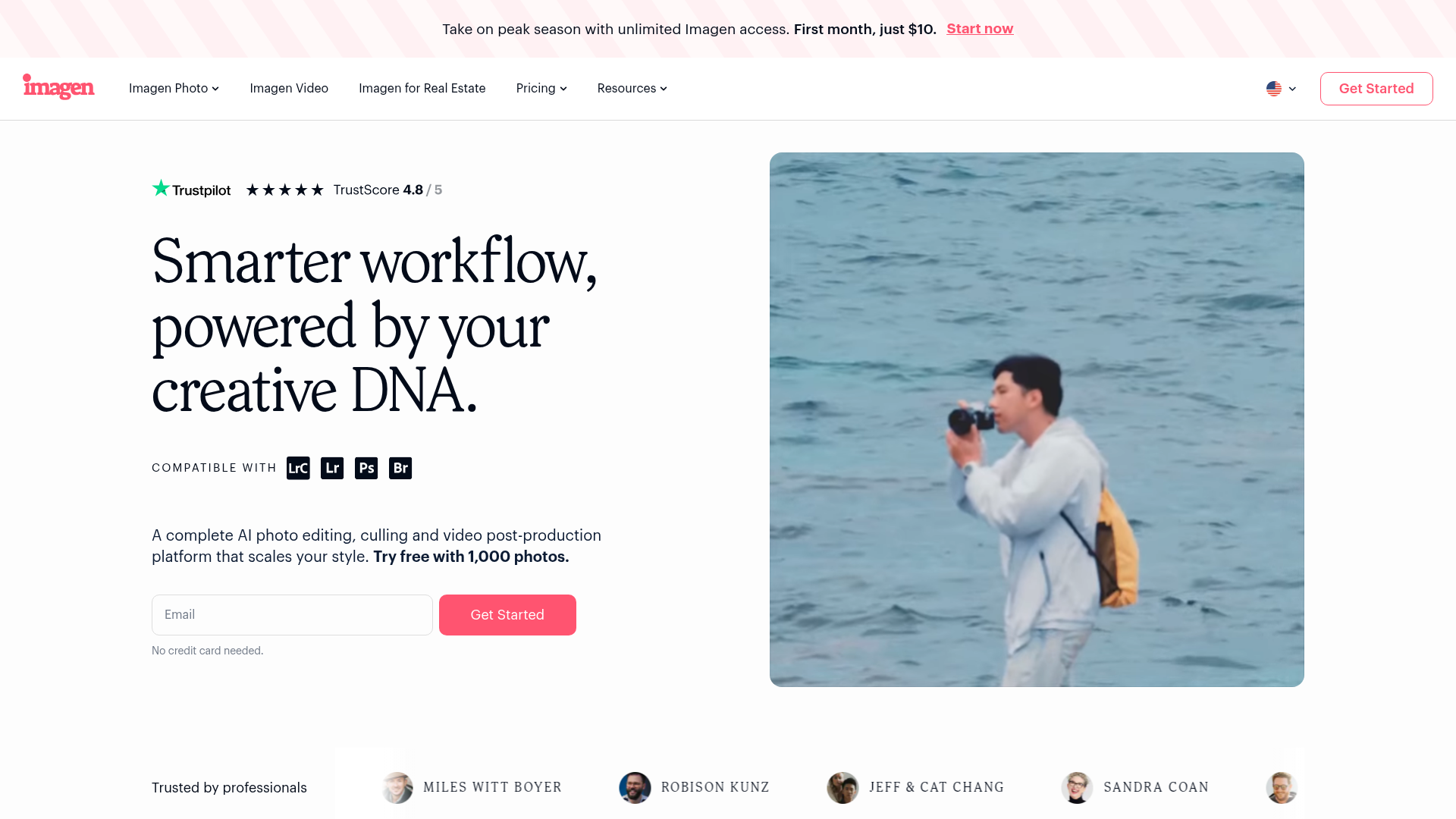
The verdict: can you vibe code Imagen AI?
Keep paying for Imagen AI or use Lightroom's native presets, because building a personal clone is a serious undertaking requiring complex desktop-to-catalog integration and custom model fine-tuning.
Replicating Imagen AI as a solo developer is extraordinarily difficult. While you can build a wrapper that applies static color filters to JPEGs, the core value of Imagen lies in its bidirectional parser for proprietary Adobe Lightroom (.lrcat) SQLite databases, local RAW handling via Metal or CUDA, and a cloud inference training pipeline that distills thousands of historical slider adjustments into a personalized neural style profile. Trying to code this from scratch involves severe risks of corrupting photographers' valuable catalogs and massive cloud GPU overhead for model training.
Estimated effort: 6+ months of full-time work
What you can't replicate
- Proprietary training infrastructure and custom-tuned style regression models
- Deep, bug-free integration with complex proprietary Adobe Lightroom database schemas
- High-performance local RAW proxy rendering engine optimized across macOS and Windows
Founded
2020
Raised
$34M
Team
101 – 250
Cheapest paid tier
$7/mo minimum
What Imagen AI does
Imagen AI is a desktop application that interfaces with Adobe Lightroom and Capture One to provide automated photo culling, personalized AI color grading, retouching, and video color correction based on historical user editing styles.
Core features
- Local desktop client application shell (macOS and Windows)
- Adobe Lightroom catalog (.lrcat SQLite) and XMP sidecar file parser and writer
- AI photo culling model for focus, eye state, and duplicate clustering
- Personalized AI color profile training pipeline ingesting historical edits
- Batch parameter generation and synchronization back to editing suites
- Automated composition adjustments (crop, straight horizons, masking)
The business
Pricing
- Pay-As-You-Go$7/mo minimum
- Annual Volume Plans$59 - $240/mo
Funding
$34M from Grove Ventures
Pay vs build, cumulative
Break-even at month 2 — after that, every month is money kept.
The hard parts of vibe coding Imagen AI
- Parsing and safely modifying proprietary SQLite-based Lightroom catalog files without metadata corruption
- Training lightweight individualized regression/neural style models per user from thousands of RAW-to-edited adjustment pairs
- High-performance local handling and proxy rendering of multi-gigabyte RAW image files via Metal/DirectX
- Building robust computer vision pipelines for micro-blur and closed-eye detection in rapid burst shots
How to vibecode Imagen AI
Prerequisites
macOS with XcodeFree
Required for building native desktop application interfaces and utilizing Metal for image rendering
Node.jsFree
Required for running build tools and backend services
GitHubFree
Code repository hosting and CI/CD version control
AI coding tools
Recommended stack
| Frontend | Tauri (Rust core + web frontend) for a lightweight native desktop app |
|---|---|
| Backend | Node.js / Express API server for handling user profile orchestration and AI pipeline triggers |
| Database | Turso (SQLite at the edge) for lightweight metadata storage and user profile tracking |
| Auth | better-auth for self-hosted desktop authentication |
| Payments | Stripe |
| Other | Together AI for running open-source image adjustment fine-tunes, Cloudflare R2 for storing image proxies and sidecar datasets |
Hosting & infrastructure
| Fly.io | Hosting the backend API server and custom model inference orchestration workers | $10-25/mo |
| Cloudflare | Hosting asset storage via R2 object storage and CDN endpoints | $0-5/mo |
Build guide
01Desktop Application Shell Scaffolding
Initialize a cross-platform desktop application shell using Tauri with a React/TypeScript frontend to establish native window management and local file system access.
Initialize a new Tauri project configured with a React and TypeScript frontend. Set up a clean desktop UI layout featuring a sidebar navigation, dark theme optimized for creative professionals, and local folder selection dialogs using Tauri's fs and dialog plugins. Implement state management for managing imported photo folders and displaying processing queues. Ensure the app bundles correctly for macOS and Windows development.02Lightroom Catalog SQLite Parser Module
Build a robust parser module in Rust/Node to read Adobe Lightroom (.lrcat) SQLite database files, extracting developer settings, crop coordinates, and image metadata without locking or corrupting the source file.
Write a robust database parsing module in the Tauri backend that safely connects to Adobe Lightroom (.lrcat) SQLite files in read-only mode. Extract image paths, develop settings (JSON/blob parameters for exposure, contrast, tone curves), and star ratings into a clean internal data structure. Implement strict error handling and transactional safety checks to prevent any possibility of database corruption on user catalogs.03AI Culling Engine Integration
Implement a computer vision pipeline module to evaluate local image previews for sharpness, blur, eye closure, and duplicate burst grouping.
Implement a local culling analysis pipeline within the desktop app that scans imported image proxies. Integrate a lightweight computer vision model (or call a cloud inference endpoint via Hugging Face/fal.ai) to score images based on sharpness, closed eyes, and facial expressions. Group burst shots into clusters and automatically flag rejects versus keepers based on customizable threshold sliders.04Personal AI Profile Training Pipeline
Develop backend routines to ingest paired before-and-after Lightroom adjustment catalogs, mapping slider deltas to train or fine-tune an individualized style regression model.
Build a backend API service on Fly.io that accepts exported training sets (pairs of unedited and manually edited Lightroom settings). Implement a data ingestion pipeline that normalizes slider values (exposure, temperature, tint, shadows, highlights) and trains a lightweight regression or LoRA style model representing the photographer's signature look. Store trained profile weights securely linked to the user account.05Batch Parameter Generation & Catalog Write-Back
Build the core execution engine that applies user-specific AI style profiles to new photo batches and writes updated settings back into the local catalog or XMP sidecar files.
Implement the batch processing execution engine in the Tauri app. Take a new set of imported RAW image metadata, send feature vectors to the user's trained AI profile endpoint, receive predicted adjustment parameters, and write these changes directly back into the user's Lightroom catalog or generate corresponding XMP sidecar files. Include a side-by-side preview component allowing users to review and fine-tune adjustments before final application.
Cost vs paying for Imagen AI
What will you build it with?
Starting total with Claude Code~$99 one-time
Starting costs (one-time)
- Apple Developer Account (for code signing macOS app)$99/yr
- Initial cloud GPU training credits$25
Total~$124 one-time
Ongoing costs (monthly)
- Fly.io backend & worker hosting$15/mo
- Cloud GPU inference & training API usage$20/mo
- Cloudflare R2 storage$5/mo
Total~$40/mo
Paying for Imagen AI
$59 - $240/mo
Your time to build
160+ hours
AI tool credits
$20/mo (Claude Pro / Cursor)
Break-even
Not applicable (commercial product built for hobby/learning rather than financial ROI due to massive engineering complexity)
Own Imagen AI? Wear the score
Put this badge on your site or README — it links back to this report.
<a href="https://vibeityourself.com/app/imagen-ai"><img src="https://vibeityourself.com/badge/imagen-ai" alt="Imagen AI vibe-codeability score" /></a>[](https://vibeityourself.com/app/imagen-ai)Vibe code Imagen AI: FAQ
- Can you vibe code Imagen AI yourself?
- Don't bother — 12/100 vibecodeable. Keep paying for Imagen AI or use Lightroom's native presets, because building a personal clone is a serious undertaking requiring complex desktop-to-catalog integration and custom model fine-tuning.
- How long does it take to vibe code Imagen AI?
- 6+ months of full-time work — roughly 160+ hours of hands-on time with an AI coding agent.
- How do you build your own Imagen AI?
- Scoped to personal use: Tauri (Rust core + web frontend) for a lightweight native desktop app on the front, Node.js / Express API server for handling user profile orchestration and AI pipeline triggers behind it, Turso (SQLite at the edge) for lightweight metadata storage and user profile tracking for data. Follow the 5-step build guide on this page — each step has a paste-ready prompt for an AI coding agent.
- How do you code your own Imagen AI without being an expert?
- Use an AI coding tool (Claude Code or Cursor) and work in small steps: scaffold, data model, core screens, then deploy. Realistic effort: 6+ months of full-time work. The prompts on this page are written so the AI does the heavy lifting.
- How much does it cost to vibe code Imagen AI instead of paying?
- About ~$124 one-time to start and ~$40/mo to run, versus $59 - $240/mo for Imagen AI. Break-even: Not applicable (commercial product built for hobby/learning rather than financial ROI due to massive engineering complexity).
- What stack should you use to vibe code Imagen AI?
- Tauri (Rust core + web frontend) for a lightweight native desktop app; Node.js / Express API server for handling user profile orchestration and AI pipeline triggers; Turso (SQLite at the edge) for lightweight metadata storage and user profile tracking; plus Together AI for running open-source image adjustment fine-tunes, Cloudflare R2 for storing image proxies and sidecar datasets.
Methodology
This report was generated by VibeItYourself's standard pipeline: we scrape imagen-ai.com (content, branding, screenshot), deep-research the company with AI + web search (pricing, funding, team, engineering complexity), then score rebuild feasibility 0–100 against the same rubric used for every app — scoped to a personal-use clone, not a competing business. How scoring works. Verdicts are honest by design: what you can't replicate is listed above.
Last verified: