How to vibe codeFotor
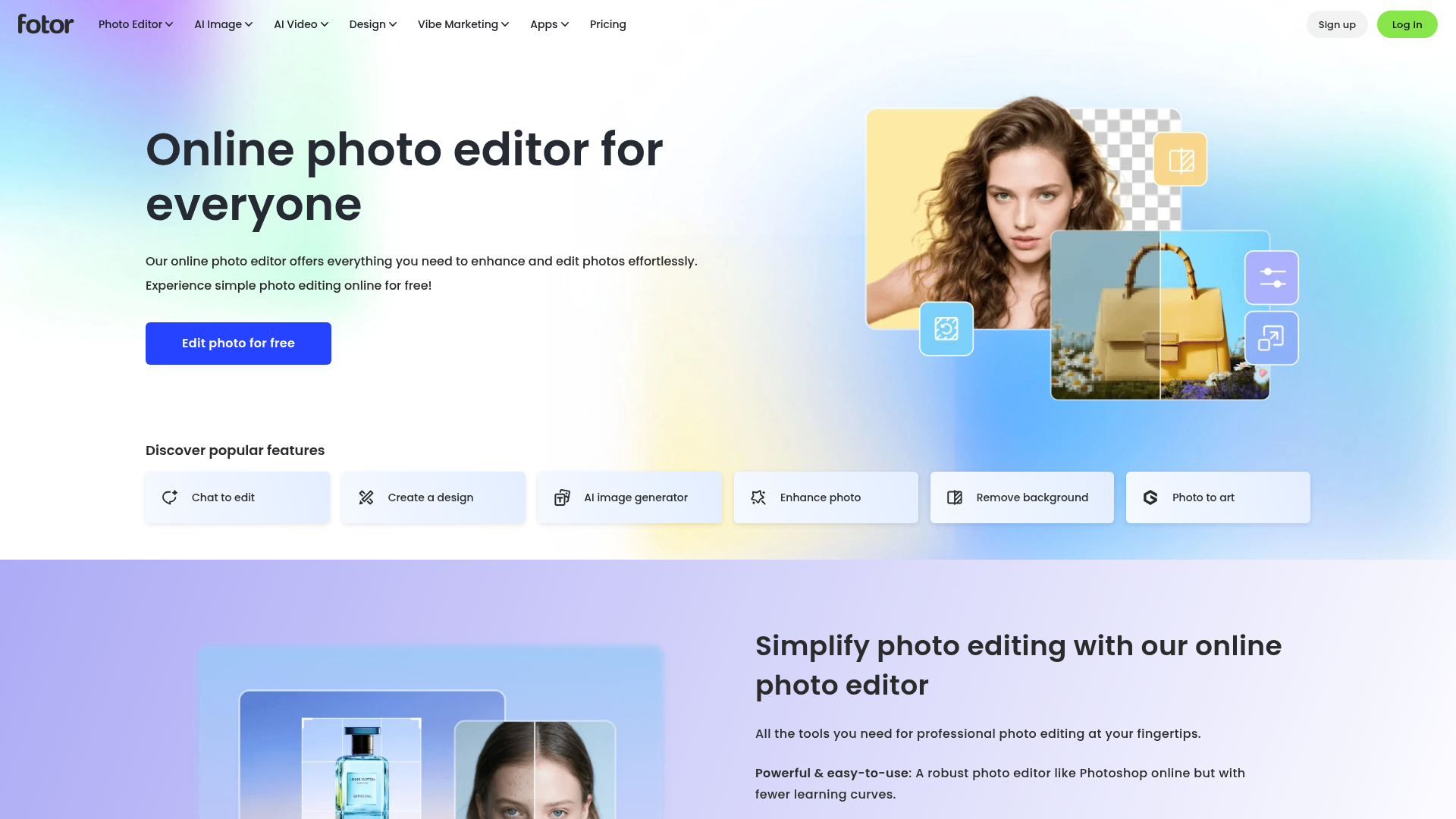
All-in-one AI photo editor and design platform
fotor.com ↗Design & Photo Editing SaaS
The verdict: can you vibe code Fotor?
Keep paying for Fotor; building a clone of this scale is a massive undertaking due to complex multi-model AI orchestration, heavy canvas rendering, and cross-platform native distribution.
Fotor looks like a web app wrapper, but under the hood it is an expensive multi-tenant orchestration engine proxying dozens of heavy diffusion, video, and computer vision models while managing a massive client-side canvas editing suite and cross-platform wrappers. Vibecoding a personal clone of the core value requires wrestling with asynchronous model webhooks, heavy compute bills, and complex WebGL/Canvas state management. For $10/mo, you are paying for infrastructure and API aggregation that would cost hundreds in GPU credits and weeks of painful debugging to stitch together.
Estimated effort: 3-6 months of full-time engineering
What you can't replicate
- The massive library of proprietary design templates and localized marketing assets
- Cross-platform app store presence and ecosystem trust with 800M+ cumulative users
- Optimized multi-vendor API routing infrastructure that absorbs unpredictable GPU inference costs
Founded
2009
Raised
$7.6M
Team
50-200
Cheapest paid tier
$0/mo
What Fotor does
Cross-platform visual content suite combining traditional photo editing tools with multi-vendor generative AI models.
Core features
- Canvas-based web photo editor with layers, filters, and crop/resize
- AI photo enhancement and background removal
- Generative AI image and video creation via external model APIs (Flux, Kling, Veo)
- Object and text removal from images using inpainting pipelines
- E-commerce product visual tools (virtual models and ghost mannequins)
- Template-based graphic design and collage maker
- Batch photo processing pipeline
- Cross-platform synchronization and cloud storage
The business
Pricing
- Free$0/mo
- Pro$12.99/mo
- Pro+$19.99/mo
Funding
$7.6M from GF Xinde Investment Management, Lenovo Capital and Incubator Group
Pay vs build, cumulative
No break-even inside 24 months at these numbers.
The hard parts of vibe coding Fotor
- Managing high-throughput asynchronous API orchestration across volatile third-party video and image generation models
- Building a performant client-side WebAssembly/Canvas editor capable of high-res image decoding and real-time filter rendering without crashing browser memory
- Handling heavy cloud compute, storage costs, and rate-limiting for compute-intensive vision pipelines
- Maintaining native wrapper parity across Web, macOS, Windows, iOS, and Android app stores
How to vibecode Fotor
Prerequisites
Node.jsfree
Required for running Next.js and frontend build tools
GitHubfree
Source control and deployment pipeline integration
Recommended stack
| Frontend | Next.js |
|---|---|
| Backend | Next.js API Routes |
| Database | Turso |
| Auth | better-auth |
| Payments | Stripe |
| Other | Tailwind CSS, Fal.ai SDK, Cloudflare R2 |
Hosting & infrastructure
| Vercel | Hosting the Next.js frontend and serverless API endpoints | $0-20/mo |
| Turso | Serverless SQLite database for user projects and metadata | $0/mo |
| Cloudflare | R2 object storage for high-resolution user image uploads and exports | $0-5/mo |
Build guide
01Project Scaffolding and Database Setup
Initialize a Next.js application with Tailwind CSS, configure Turso database integration via Drizzle ORM, and set up better-auth for user session management.
Create a new Next.js 16 project with Tailwind CSS and TypeScript. Set up Drizzle ORM configured to connect to Turso. Define database schemas for users, projects (storing canvas state JSON), and asset records. Integrate better-auth with email/password authentication and a user profile table. Implement a clean dashboard layout showing a user's recent editing projects and remaining generative credits.02Canvas Photo Editor Core
Build a client-side HTML5 Canvas or Fabric.js-based photo editor supporting image loading, cropping, basic filters, and text overlays.
Build a robust photo editor workspace component in Next.js using a responsive canvas view (or Fabric.js wrapper). Implement core tools: image upload/drop, crop and rotate, basic adjustments (brightness, contrast, saturation), text overlay insertion with customizable font styles, and a filter effects selector that applies CSS/Canvas matrix manipulations. Ensure state management allows undo/redo actions.03AI Enhancement and Background Removal Integration
Integrate third-party computer vision APIs for one-click background removal and image upscaling.
Create backend API routes in Next.js that interface with fal.ai or alternative computer vision endpoints for background removal and image upscaling. Update the canvas editor UI to include an 'AI Enhance' and 'Remove Background' toolbar action that sends the current canvas image blob, receives the processed image, and replaces the active canvas layer seamlessly while handling loading spinner states and error handling.04Generative AI Image and Text-to-Image Suite
Build a text-to-image generation tab utilizing external model APIs like Flux with prompt input and aspect ratio selectors.
Develop an AI Image Generator view within the app. Create a form with a text prompt input, negative prompt, aspect ratio selector, and model picker (e.g., Flux Schnell). Connect this to a backend route that calls the fal.ai Flux API. Handle asynchronous polling or webhook responses, deduct user credits upon generation success, and provide a button to send the generated image directly into the photo editor canvas.05Cloud Storage and Export Pipeline
Configure Cloudflare R2 object storage for saving project assets and exporting high-resolution images.
Implement an export and storage pipeline using Cloudflare R2 S3-compatible storage. Write server actions to upload raw user uploads and final edited canvas exports (PNG, JPG, PDF) directly to R2. Generate secure signed URLs for project asset retrieval and add an export modal allowing users to download their high-resolution creations without watermarks.
Cost vs paying for Fotor
What will you build it with?
Starting total with Claude Code$0 one-time
Starting costs (one-time)
- Domain registration$12/yr
Total~$12 one-time
Ongoing costs (monthly)
- Vercel Hobby/Pro & Cloudflare R2~$5/mo
- Fal.ai API Credits (Generative usage)~$10-20/mo
Total~$15-25/mo
Paying for Fotor
$19.99/mo (Pro+)
Your time to build
80-120 hours
AI tool credits
$20/mo (Claude Pro)
Break-even
Not a financial win; built for custom feature control and learning.
Own Fotor? Wear the score
Put this badge on your site or README — it links back to this report.
<a href="https://vibeityourself.com/app/fotor"><img src="https://vibeityourself.com/badge/fotor" alt="Fotor vibe-codeability score" /></a>[](https://vibeityourself.com/app/fotor)Vibe code Fotor: FAQ
- Can you vibe code Fotor yourself?
- Don't bother — 15/100 vibecodeable. Keep paying for Fotor; building a clone of this scale is a massive undertaking due to complex multi-model AI orchestration, heavy canvas rendering, and cross-platform native distribution.
- How long does it take to vibe code Fotor?
- 3-6 months of full-time engineering — roughly 80-120 hours of hands-on time with an AI coding agent.
- How do you build your own Fotor?
- Scoped to personal use: Next.js on the front, Next.js API Routes behind it, Turso for data. Follow the 5-step build guide on this page — each step has a paste-ready prompt for an AI coding agent.
- How do you code your own Fotor without being an expert?
- Use an AI coding tool (Claude Code) and work in small steps: scaffold, data model, core screens, then deploy. Realistic effort: 3-6 months of full-time engineering. The prompts on this page are written so the AI does the heavy lifting.
- How much does it cost to vibe code Fotor instead of paying?
- About ~$12 one-time to start and ~$15-25/mo to run, versus $19.99/mo (Pro+) for Fotor. Break-even: Not a financial win; built for custom feature control and learning..
- What stack should you use to vibe code Fotor?
- Next.js; Next.js API Routes; Turso; plus Tailwind CSS, Fal.ai SDK, Cloudflare R2.
Methodology
This report was generated by VibeItYourself's standard pipeline: we scrape fotor.com (content, branding, screenshot), deep-research the company with AI + web search (pricing, funding, team, engineering complexity), then score rebuild feasibility 0–100 against the same rubric used for every app — scoped to a personal-use clone, not a competing business. How scoring works. Verdicts are honest by design: what you can't replicate is listed above.
Last verified: