
How to vibe codeCalm
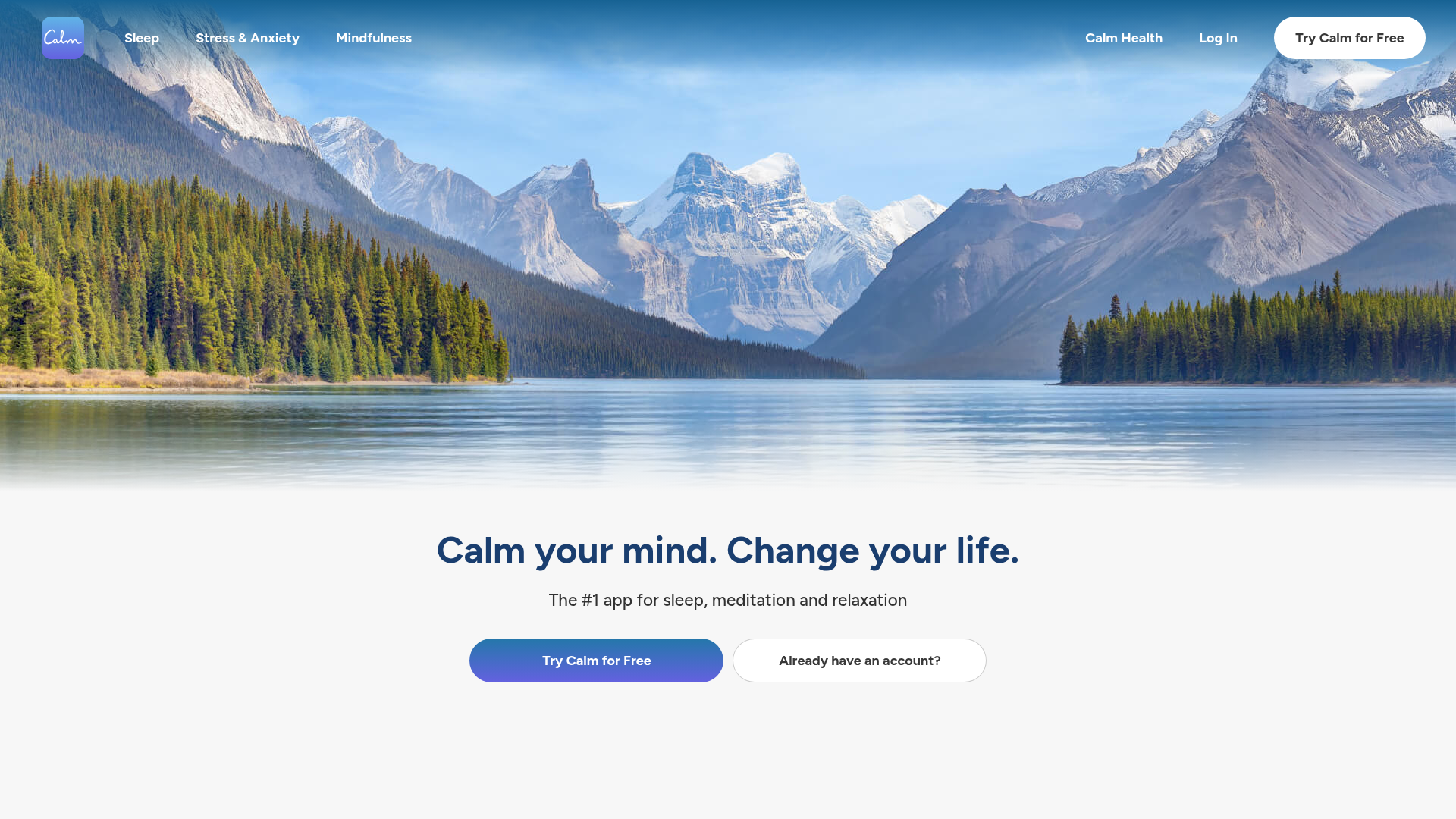
Calm your mind. Change your life.
calm.com ↗Health & Fitness
The verdict: can you vibe code Calm?
You can build a functional personal wellness player with AI coding tools, but you cannot replicate Calm's proprietary audio library or celebrity sleep stories.
Calm is fundamentally a media distribution platform disguised as a wellness app. While scaffolding the React Native mobile app interface, audio player state machine, and breathing animation with AI agents is straightforward, sourcing or generating hundreds of hours of premium sleep stories and guided meditations requires substantial effort. For personal use, you can build a lightweight wrapper that pulls open-source ambient audio and AI-generated narration, but replacing the commercial content moat is impossible.
Estimated effort: 6+ weeks of part-time work
What you can't replicate
- Exclusive celebrity narrator partnerships (Matthew McConaughey, Harry Styles)
- Proprietary multi-million dollar sleep story master recordings
- Enterprise content licensing agreements and clinical validation studies
Founded
2012
Raised
$218M
Team
200-400+
Cheapest paid tier
$79.99/yr
What Calm does
A digital mental health and wellness platform focused on guided meditation, sleep stories, relaxation soundscapes, and breathwork exercises.
Core features
- Audio player with offline background caching and lock-screen controls
- Curated audio catalog for Sleep Stories, meditations, and masterclasses
- Interactive breathing bubble animation with haptic/audio cues
- Soundscapes mixer combining white/pink/brown/green noise and binaural beats
- Daily check-in tracker and streak logging
- User authentication and personal preference sync
The business
Pricing
- Calm Premium (Yearly)$79.99/yr
- Calm Premium (Monthly)$16.99/mo
Funding
$218M from Lightspeed Venture Partners, TPG Growth, Insight Partners, Goldman Sachs Asset Management, Sound Ventures
Pay vs build, cumulative
Break-even at month 18 — after that, every month is money kept.
The hard parts of vibe coding Calm
- Securing and storing hundreds of hours of high-bitrate voice recordings and audio streams economically
- Building reliable offline mobile storage and chunked audio caching for airplane or bedtime listening
- Synchronizing breathing bubble animation curves with audio guide cues smoothly on mobile threads
- Sustaining content licensing and high-profile narrator talent acquisition (impossible to replicate alone)
How to vibecode Calm
Prerequisites
Node.jsfree
Required runtime for Expo and React Native tooling
Expofree
Cross-platform mobile framework to build iOS and Android apps from one codebase
Apple Developer account$99/yr
Required if testing native background audio capabilities on a physical iOS device
AI coding tools
Recommended stack
| Frontend | React Native with Expo Router |
|---|---|
| Backend | Next.js API routes on Cloudflare Workers |
| Database | Turso (SQLite at the edge for catalog metadata) |
| Auth | better-auth |
| Payments | None (personal use clone) |
| Other | Cloudflare R2 for storing audio files, ElevenLabs API for generating custom sleep stories and voice guides, Suno API for ambient soundscape generation, Expo AV for native audio playback and background controls |
Hosting & infrastructure
| Cloudflare | Hosting backend API routes and serving audio files via R2 storage with zero egress fees | $0-5/mo |
| Turso | Serverless SQLite database for meditation categories, tracks, and user streak data | $0/mo |
Build guide
01Scaffold Expo Mobile App & Navigation Structure
Initialize the React Native project with Expo Router, setting up bottom tab navigation for Home, Sleep, Meditate, and Profile screens with a calm, dark minimalist color palette.
Create a new Expo app using TypeScript and Expo Router configured with a root layout and a bottom tab navigator with four tabs: Home, Sleep, Meditate, and Profile. Implement a tranquil, dark-mode design system matching Calm's aesthetic (deep navy blues #0A192F, soft slate grays, and warm gold accents). Establish a clean component structure for content tiles, category carousels, and section headers.02Build the Audio Player State Machine & Background Playback
Implement robust audio playback controls using Expo AV supporting background audio playback, lock-screen controls, sleep timers, and progress scrubbing.
Build an audio player context and persistent bottom mini-player in React Native using Expo AV. The player must support playing remote audio URLs, pausing, seeking, and handling background audio playback via iOS/Android native audio session configurations. Add a sleep timer feature that automatically fades out and stops playback after a configurable duration (e.g., 15, 30, 45 minutes).03Construct the Turso Database Schema & API
Design a SQLite schema for audio tracks, categories, user favorites, and completion streaks, accessed via a lightweight Cloudflare Worker backend.
Create a Turso SQLite schema and Cloudflare Worker API endpoints using TypeScript. Tables required: categories (id, title, slug, type), tracks (id, category_id, title, narrator, duration_seconds, audio_url, image_url), user_progress (user_id, track_id, completed_at, seconds_listened), and streaks (user_id, current_streak, last_active_date). Implement REST endpoints to fetch the catalog and record user playback progress.04Implement the Interactive Breathing Bubble Exercise
Build a dedicated screen featuring an animated breathing bubble with smooth expansion and contraction phases, accompanied by haptic feedback and gentle audio cues.
Create a React Native animated breathing exercise screen featuring a pulsing central circle (bubble) that expands for 4 seconds ('Breathe In'), holds for 4 seconds ('Hold'), and contracts for 4 seconds ('Breathe Out'). Use React Native Reanimated for smooth 60fps scaling animations. Include subtle text prompts inside the circle, optional soothing ambient audio playback from the soundscape mixer, and completion tracking.05Build the Soundscapes Mixer & Offline Caching
Develop a multi-track ambient sound mixer allowing users to blend rain, ocean waves, and brown noise simultaneously, along with local caching for offline use.
Build a Soundscapes screen in the Expo app allowing users to mix multiple ambient audio streams concurrently (e.g., rain, ocean waves, brown noise) with independent volume sliders. Implement local file caching using Expo FileSystem so audio assets can be downloaded for offline playback when airplane mode is enabled. Ensure memory cleanup and proper disposal of audio instances when navigating away.06Polish User Profile, Streaks, and Daily Check-In
Add user progress visualization, daily streak tracking, and personalized stats dashboard reflecting meditation minutes and sleep consistency.
Implement a Profile and Stats screen in the Expo app. It should display total meditation time, current streak count with a visual calendar heatmap, favorite tracks list, and a daily mood/sleep check-in logger that saves responses to local storage and syncs with the backend when online.
Cost vs paying for Calm
What will you build it with?
Starting total with Claude Code~$99 one-time
Starting costs (one-time)
- Apple Developer account (optional for physical device test)$99/yr
- AI Coding Assistant subscription$20
Total~$119 one-time
Ongoing costs (monthly)
- Cloudflare Workers & R2 storage$0-5/mo
- ElevenLabs API credits for generated narration$5/mo
Total~$10/mo
Paying for Calm
$16.99/mo
Your time to build
35-50 hours
AI tool credits
$20 (Claude Pro / Cursor)
Break-even
Fun/learning project (does not break even)
Own Calm? Wear the score
Put this badge on your site or README — it links back to this report.
<a href="https://vibeityourself.com/app/calm"><img src="https://vibeityourself.com/badge/calm" alt="Calm vibe-codeability score" /></a>[](https://vibeityourself.com/app/calm)Vibe code Calm: FAQ
- Can you vibe code Calm yourself?
- Serious undertaking — 42/100 vibecodeable. You can build a functional personal wellness player with AI coding tools, but you cannot replicate Calm's proprietary audio library or celebrity sleep stories.
- How long does it take to vibe code Calm?
- 6+ weeks of part-time work — roughly 35-50 hours of hands-on time with an AI coding agent.
- How do you build your own Calm?
- Scoped to personal use: React Native with Expo Router on the front, Next.js API routes on Cloudflare Workers behind it, Turso (SQLite at the edge for catalog metadata) for data. Follow the 6-step build guide on this page — each step has a paste-ready prompt for an AI coding agent.
- How do you code your own Calm without being an expert?
- Use an AI coding tool (Claude Code or Cursor) and work in small steps: scaffold, data model, core screens, then deploy. Realistic effort: 6+ weeks of part-time work. The prompts on this page are written so the AI does the heavy lifting.
- How much does it cost to vibe code Calm instead of paying?
- About ~$119 one-time to start and ~$10/mo to run, versus $16.99/mo for Calm. Break-even: Fun/learning project (does not break even).
- What stack should you use to vibe code Calm?
- React Native with Expo Router; Next.js API routes on Cloudflare Workers; Turso (SQLite at the edge for catalog metadata); plus Cloudflare R2 for storing audio files, ElevenLabs API for generating custom sleep stories and voice guides, Suno API for ambient soundscape generation, Expo AV for native audio playback and background controls.
Methodology
This report was generated by VibeItYourself's standard pipeline: we scrape calm.com (content, branding, screenshot), deep-research the company with AI + web search (pricing, funding, team, engineering complexity), then score rebuild feasibility 0–100 against the same rubric used for every app — scoped to a personal-use clone, not a competing business. How scoring works. Verdicts are honest by design: what you can't replicate is listed above.
Last verified: